Table of Contents
Projects
Project Settings
Solution Spaces
Documents
DMS
These settings allow you to control the automatic generation of document numbers depending on the type of document. The categories shown in the table are based on the values defined in the ‘Categories’ section.
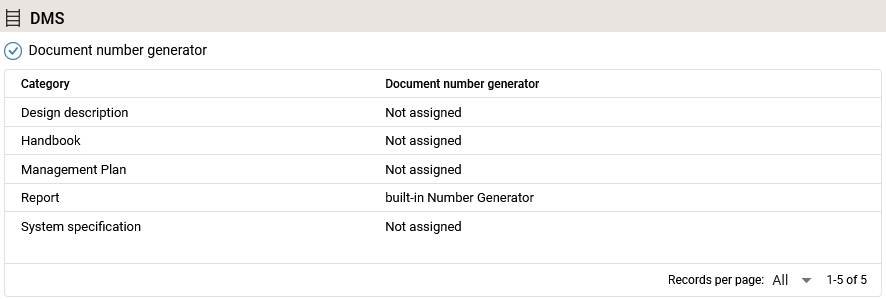
The “Document number generator” checkbox allows you to enable or disable the setting globally.
To assign or remove a number generator, click on the cell in the “Document Number Generator” column for the corresponding document type. A dialog box will open where you can change the assigned generator. Select “not assigned” if you want to deactivate the function for the document type. Click “OK” to apply the change.
Category
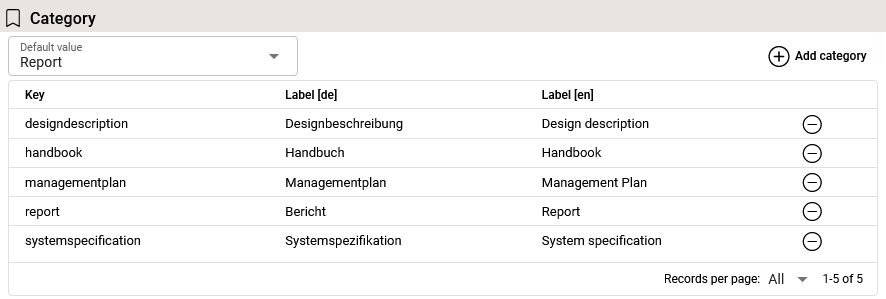
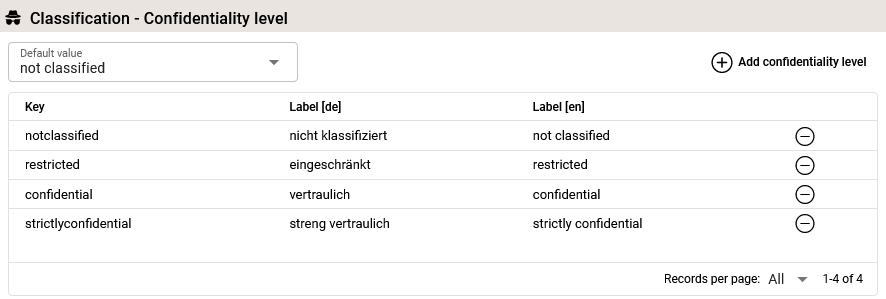
Classification - Confidentiality Level
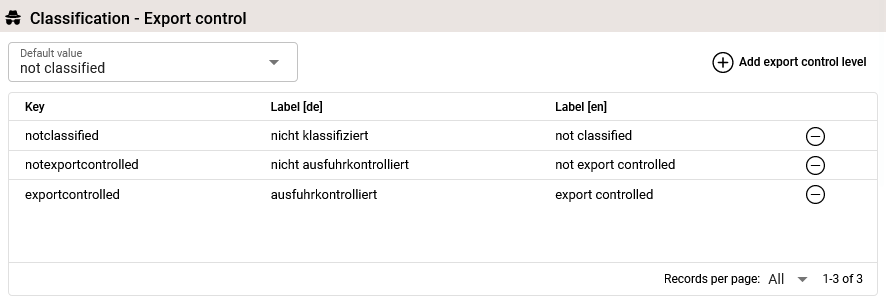
Classification - Export Control
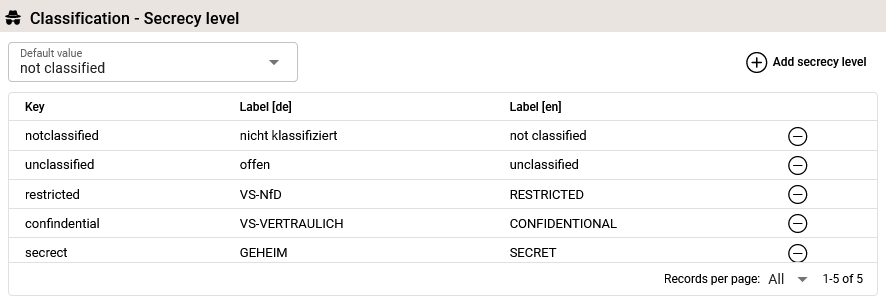
Classification - Secrecy Level
ERP
Modeling
Languages
Minutes of Meeting
Types
DMS (Document Management System)
Renderer
E-Mail Templates
Filename