Table of Contents
Change Requests
A change request is part of the formalized change management process in configuration management and describes a single change to the design data in RePoSyD.
Change requests can be submitted at any time during the execution of a project and are used to change design data that is under configuration control, i.e., assigned to a formal configuration baseline. Or for the formalized documentation of changes to design artifacts such as requirements without these being under configuration control.
Overview of all Change Requests
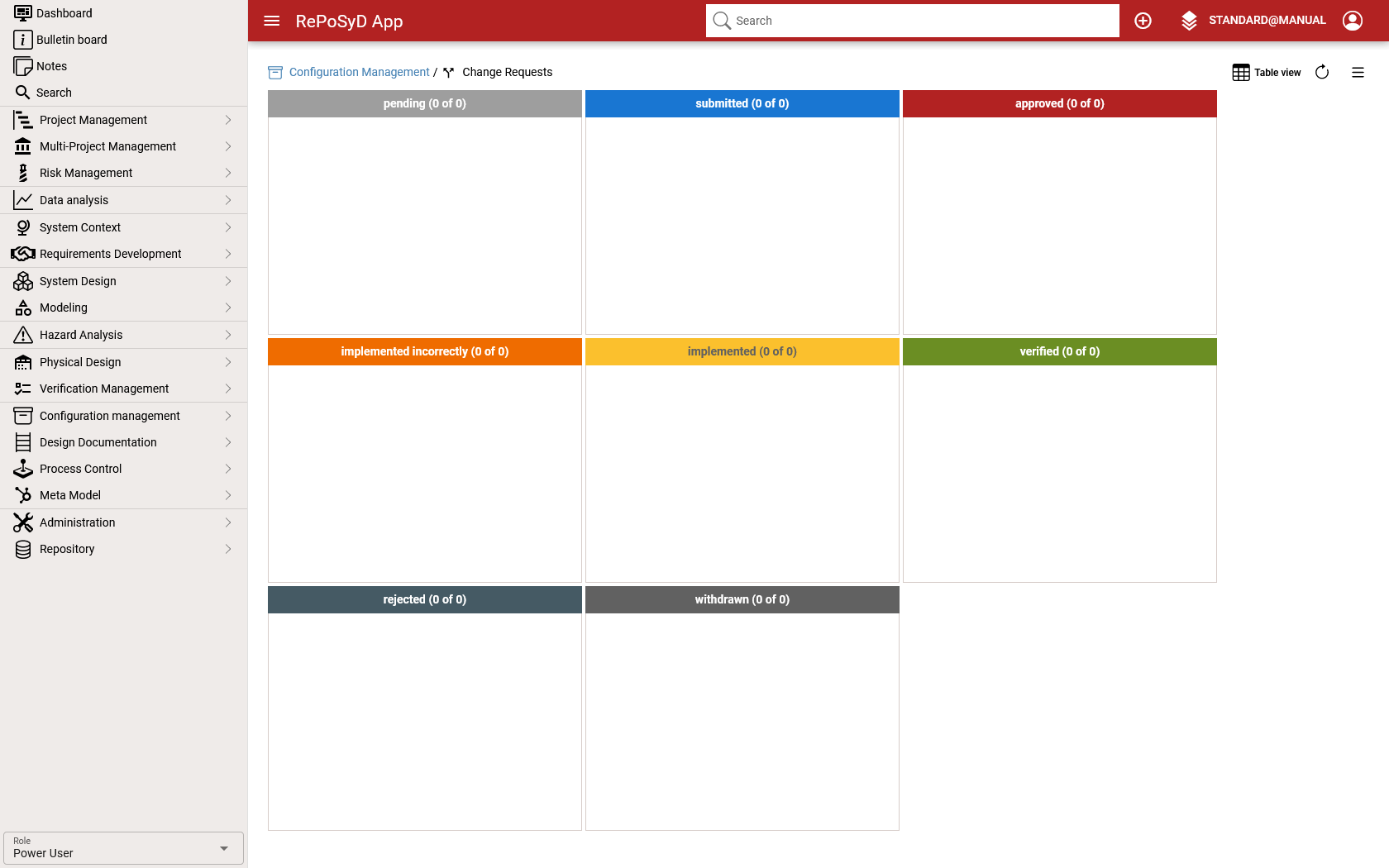
Click on Configuration Management / Change Request in the main menu to display an overview of all change requests in a table, carousel or Kanban view.
Table and Kanban View
The change requests view provides different view for accessing and managing change requests. You can toggle between the views to clicking either on the kanban or table button
| Action | Description | |
|---|---|---|
| Approve | Approves the submitted change request. | |
| Implement | Starts the implementation the change request | |
| Reject | Rejects the change request . | |
| Submit | Submits the change request | |
| Withdraw | Withdraws the change request . | |
Carousel View
n the carousel view, you can search and edit the change request at the same time. Click on the carousel view button to open the view starting with the respective change request.
Dashboard
Change Request
| Property | Description |
|---|---|
| Classification | Defines the classification of the change.
|
| Implementation | Date and schedule for the implementation.
|
| Number | Numbering of the change request. When a change request is created, it is automatically filled with the PUID of the design data object and the sequential number of the change requests for the respective design data object. (<puid>.CR.<seqnum>) |
| Priority | Determines the priority (processing speed) with which the change request is to be evaluated, decided upon, and, if approved, implemented.
|
| Source | Defines the source of the change request.
|
| Owner | The team who has created the change request. |
| Responsible | The team who is responsible for the change request. |
| Reason for Change | A detailed description why this change is necessary. |
| Title | Summary of the reason for the change. |
| Type | Type of changes. |
Life Cycle
Status
| Status | Description | |
|---|---|---|
| Pending | The change request is currently being processed and is not valid with regard to the specified changes. | |
| Submitted | All necessary changes to be made to the respective design data with this change request have been described, and the change request has been submitted for decision. | |
| Rejected | The implementation of the change request has been rejected. | |
| Approved | The implementation of the change request has been approved. | |
| Implemented | The changes described in the change request have been implemented in the design data. | |
| Verification failed | The implementation of the changes to the design data has been rejected. | |
| Verified | The implementation of the changes to the design data has been checked and they correspond to the change request. |
Transitions
| Transition | Description | Permissions |
|---|---|---|
| Pending → Deleted | This transaction can only be performed for change requests with the status ‘Pending’. |
|
| Pending → Submitted | The change request is submitted for decision. |
|
| Submitted → Withdrawn | The change request is withdrawn and will not be pursued in the current version. A new change request must be created if the changes described in the change request are to be resubmitted for decision at a later date. |
|
| Submitted → Approved | A decision has been made on the change request and implementation is approved. |
|
| Submitted → Rejected | A decision has been made on the change request and implementation is rejected. The reason must be described in the change log. |
|
| Approved → Implemented | The changes described in the change request have been fully implemented and are submitted for verification. | |
| Implemented → Verification failed | The changes described in the change request have been implemented incorrectly. The deviations must be described in the change log. |
|
| Implemented → Verified | The review of the changes described in the change request has been completed and no deviations have been found. |
|